 Games
Games  Sign Up
  Search
  Promotions

 Nederlands
  Français
 Revery Play Login: Open Your Account and Play
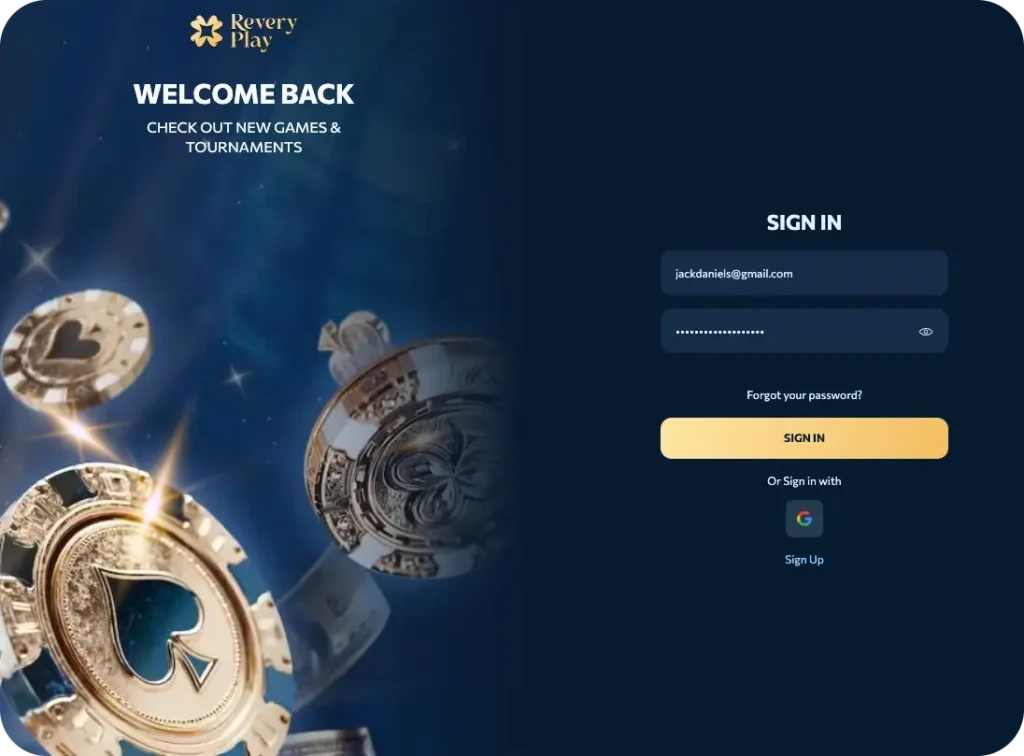
Having a casino account means everything is in one place. Your balance, your bonuses, your game history, your withdrawals. ReveryPlay login process is simple: open the site or app, enter your details, and you are in. The whole thing takes under a minute.
No account yet? Registration takes about the same time. Fill in your email, create a password, confirm your age and you are done. The steps are listed below.
One thing worth doing early is verification. Upload your ID before you hit a big win, not after. It keeps withdrawals moving fast and removes any friction when it matters most. The documents are standard, the process is straightforward, and it protects everyone involved.
Registered players also get access to a loyalty program that runs in the background as you play. Bonuses, points, and perks that are only available to members, and the more you play, the more you get back.
How to Complete Your Revery Play Registration
Complete the following steps to have a fully registered casino account.
Time needed: 5 minutes
How to Register a Casino Account
- Open the Registration Form
Click the Sign Up tab located in the top right corner of the page to begin the registration process.
- Enter Your Personal Details
Fill in your personal information in the required fields. Alternatively, you can complete registration quickly by signing up using your existing Google account.
- Accept Terms and Conditions
Read the terms and conditions carefully and confirm your acceptance. At this stage, you can also select any marketing opt-ins you wish to receive.
- Select Your Preferred Currency
Choose the currency you wish to use for your account. UK players may select GBP, EUR, or a range of supported cryptocurrencies.
- Make Your First Deposit
Fund your account with a minimum of £20 to unlock the first deposit bonus of £1,000 plus 100 Free Spins.
- Complete Identity Verification
Verify your account by completing the KYC (Know Your Customer) process. This step is required to ensure fast and smooth processing of your first withdrawal.
ReveryPlay Casino Login: Quick Steps
Once your account is active, you can access our massive library from any desktop or laptop by following these simple steps:
- Locate the Revery Play login button: Click the “Sign In” tab in the top right corner.
- Enter Your Credentials: Input the email address and the strong password you created during registration.
- One-Click Access: If you originally registered using a social provider, simply click the corresponding icon for Google, Facebook, X, or Metamask to bypass manual entry.
- Enter Your Dashboard: Click “Login” to be instantly transported to your personalized dashboard, where your balance and active bonuses await.

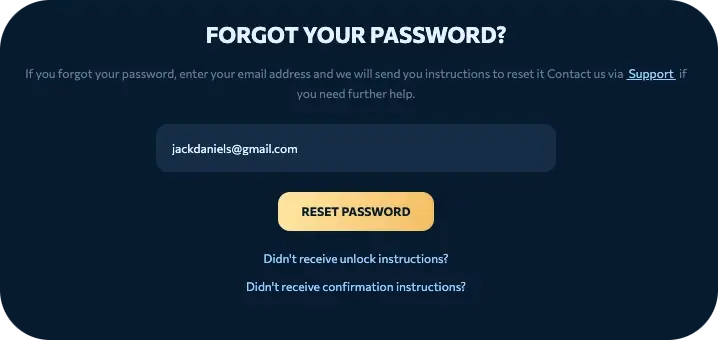
If you ever forget your password, click the “Forgot Password?” link in the login window.
How to Sign in via a Mobile Device
Completing your Revery Play casino login with a mobile device is seamless, whether you do so via our website or our progressive working app. Just head to our website via your mobile browser or our progressive working app and add your email and password. If you signed up with Gmail or another account, just sign in via that option.
The progressive working app gives you higher safety and smoother logins thanks to its Remember Me feature. You can also set up two-factor authentication, allowing you to authorise each login request.
Installing the Revery Play progressive working app on your device is done by adding our website to your home page. This will turn it into a standalone app. You can do this on iOS and Android devices, and the app gives you full functionality of our casino. This means you can play your favourite games and make deposits/withdrawals.
How to Complete Casino Revery Play Verification
Completing your KYC verification after your casino Revery Play register and login process allows you to enjoy full account benefits, including speedy withdrawals. You can verify your account via the following steps.
- Head to the Profile tab in your account
- Scroll to the verification tab and provide the requested documents. We require an ID document, an official document that shows your name and address, and a bank statement showing the deposit made to our casino.
- Complete phone verification by inputting your number so we can send an SMS code.
Please note that we generally process account verification requests quickly. However, individual cases might require longer periods. We might also request additional documents for verification before processing withdrawals, in line with our anti-fraud policies. Still, users who have completed their ReveryPlay casino verification will enjoy quicker withdrawals.
Sign Up Bonus Activation
Once your Revery Play registration is complete, you can unlock the following as part of our sign-up bonus.
- First deposit bonus: After your first £20 deposit, you receive £1,000 + 100 FS. Your FS are divided into 2 sets of 50 and are to be played on Big Boat Big Catch by BGaming.
- Second Deposit Bonus: Your next deposit unlocks £1500 + 100 FS. You can play these FS on Bonanza Billion by BGaming.
- Third deposit bonus: You can unlock 75% boost up to £2500 + 50FS to be laid on Snoop Dogg Dollars.
While claiming bonuses, study the promo T&Cs to know the wagering requirements and their validity period. This will help you to utilise bonuses and claim winnings before they expire. You can also find and claim other offers from our promo page.
How to Delete an Account at Revery Play Casino
Account closure when you have ReveryPlay casino login is easy, requiring the following steps:

- Log in and go to your account profile.
- Withdraw all funds. If you have any bonus winnings locked because of wagering requirements, wait until you can withdraw your funds. Otherwise, you will forfeit any remaining bonuses.
- Go to Customer support. You can request account closure by sending us a direct message and leaving your email address. You can also talk to one of our live agents directly.
- Check your email for a confirmation message. Once your account is closed, we will send an email notification.
Once your account is closed, you will no longer receive promotional emails from Revery Play. This is ideal for users who close their accounts for self-exclusion purposes.
Terms and Conditions
Some of the Terms and Conditions that you agree to during your Revery Play casino sign-up include:
- We only offer services to individuals who are 18 and above
- Having multiple accounts is prohibited and can lead to account closure
- Free spins have a maximum win limit. For instance, the maximum win from free spins in our welcome package is capped at £100
- All bonuses have wagering requirements before winnings can be withdrawn. If a promo’s wagering requirement is fixed at 30x, you will have to wager 30 times the bonus amount you want to withdraw
- Some bonuses and games are region-specific. Using a VPN to access such games or bonuses will lead to the forfeiture of your winnings
- All bonuses have validity periods. If bonuses are not used before their validity period ends, they become invalid
- We can cancel promo winnings if players are found to be using bonus manipulation techniques.


