 Games
Games  Sign Up
  Search
  Promotions
Revery Play Casino Mobile App Features
The platform is accessible from any device. The ReveryPlay app is a fully optimised version of the site that works on any iOS or Android system. Same layout, same speed, same games on a smaller screen. Nothing to install, nothing taking up space on your phone. New game drops, active tournaments, Free Spins Tuesday, always at your fingertips. Staying active in tournaments and keeping your loyalty points ticking is easy when the casino is always in your pocket.
How to Use the Application
You can use the Revery Play casino app by completing the following process:
Time needed: 5 minutes
App installation process
- Download the App
Visit the official Revery Play Casino website and install it as a progressive web app (PWA) on your device. This allows you to access the casino directly from your home screen without using an app store.
- Create an Account
Complete the registration form by entering your personal details. Alternatively, you can sign up quickly using an existing Gmail, X, Facebook, or MetaMask account.
- Verify Your Email Address
If prompted, check your inbox for a verification email and follow the instructions to confirm your email address. This step is required to activate your account.
- Make Your First Deposit
Deposit a minimum of £20 into your account to qualify for the welcome bonus of £1,000 plus 100 free spins.
- Complete Account Verification
Submit the required identity documents to fully verify your account. Completing this step in advance ensures that your first withdrawal request is processed without delays.
You can start using the app in seconds once it’s installed on your phone. Please note that there is no dedicated Revery Play mobile app, so no need to check Google Play or the App Store. Also, only individuals who are 18 and above are permitted to use our services.
How to Install the Revery Play App on Android
- Visit the Chrome browser and open our Revery Play casino site:
- On the right side of your browser, find and tap the menu icon.
- Find and click the Add to Homepage button.
- For more convenience, rename the site to casino.
How to Add the ReveryPlay Mobile App to iOS Devices
The process is very similar for iOS devices:
- Head to Safari and open the Revery Play site.
- Go to Share and find Add to Homescreen.
- Once clicked, the site will be installed as a standalone app.
- Open the app and start playing your favourite games.
When using our casino app, you can easily find your favourite games using our search bar, which helps you navigate over 7000 games.
Available Device Types
| Operating System | Devices | Requirements |
|---|---|---|
| iOS | iPhones, iPads, MacBook | iOS Version 10 |
| Android | Phones, iPads, Chromebook | Android Version 5.0 |
| Windows | Phones, Laptops | Windows 8.0 and above |
Most phones and tablets can install the Revery Play app. However, new devices might offer better performance when playing live games. In addition, the space required to install and play the casino app is very minimal, making it a preferred option over a dedicated app.
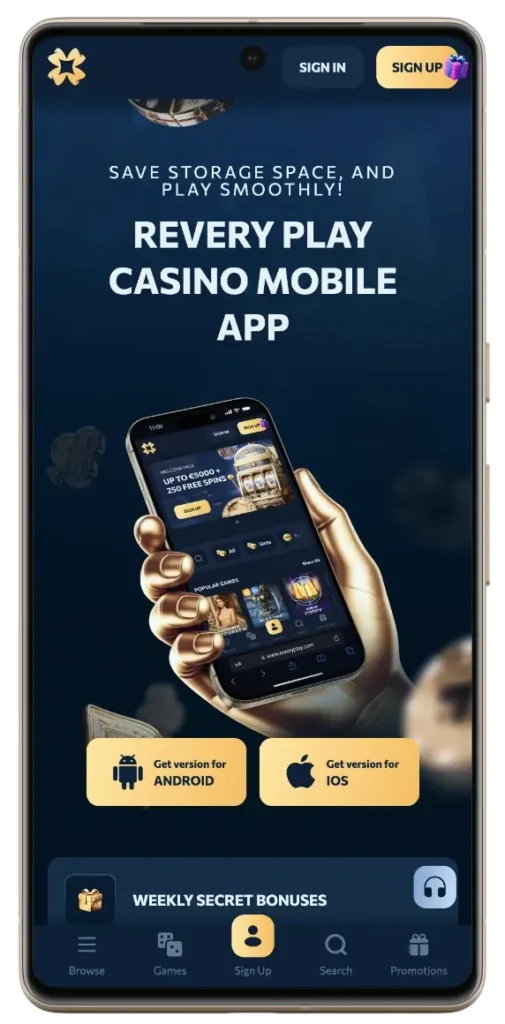
Interface of the Revery Play Casino Mobile App
The interface of our progressive working app is very similar to our website. However, certain features like page width and button visibility might adjust depending on your screen size. Some users prefer the larger screens of tablets and iPads when playing live casino games. Many others prefer mobile phones for online slot games due to higher performance. Still, no matter what device you use, you will enjoy the following features of ReveryPlay mobile app.
- Intuitive menu bar that shows you games, promotions, and the loyalty programme
- Payment support for deposits and withdrawals
- Customer support page where you can request assistance via live chat, FAQ or email
- Account management tab, where you can verify your account, change your password or set up 2FA
- A notifications bar that allows you to stay up to date with new releases and promotions
Account Registration and Deposit via Mobile
To start playing and claim the deposit match, complete the registration and funding process as follows:
- Sign up and fund your account via the following steps to start claiming bonuses.
- Open the Revery Play app and click sign up.
- Complete email verification.
- Head to the Wallet tab and fund your account with a minimum deposit of £20. You can fund your account with GBP, EUR or digital tokens like DOGE, LTC, BTC.
After your first deposit, you are automatically credited with 100% up to £1000 + 100 FS. Subsequent £20 deposits will unlock the remainder of our welcome package, which involves £4000 + 150 spins. Although we don’t charge deposit fees, the payment method you choose will likely charge processing fees. For crypto users, we use the CoinsPaid platform for all deposits.
Benefits of Using the Revery Play App
Using our app comes with the following benefits:
- Automated logins: Revery Play casino app offers quicker logins thanks to its Remember feature. This allows you to sign in without inputting your password every time.
- Higher accessibility: Our app allows you to flawlessly play games on your mobile device, anywhere and anytime.
- Using our Revery Play mobile app also offers better internet connectivity and in-game performance for online slots. Live casino and table games also perform better on mobile devices.
- Additionally, you can stay up to date on new promotions, games, and updates thanks to the notification bar in our casino app.
Other advantages of our Revery Play casino app include lower storage requirements and automatic updates.

Bonuses for Mobile Players
You can claim the following bonuses with the Revery Play app:
- Welcome Offer: £5000 + 250 FS across your first three deposits
- Weekend Reload: £700 each week when you deposit £20
- Tuesday Free Spins: Unlock three tiers of FS according to your deposit
- Weekend VIP bonus
- Springbreak bonus: £15000 + 1500 FS
Aside from our regular bonuses, you can join tournaments via our Revery Play casino app, competing for larger rewards. For instance, using your phone, you can join our Legends of the Month tournament, competing for a total prize pool of £2000 + 2000 FS.
When claiming bonuses using the app, watch out for promo codes that might be attached to offers. Some bonuses, like our welcome package, are activated immediately. Others can only be claimed by inputting the promo code while making your deposit. You can easily find such promo codes on our bonus page.
Security and Data Protection of Revery Play Mobile App
To secure your data, our Revery Play casino mobile app uses the following:
- 128-bit Secure Sockets Layer for data encryption
- Pretty Good Protocol for extra privacy
- 2FA authentication for more secure logins
- Aside from these measures, other ways you can secure your account are by choosing a strong password and not saving it to a public device
How to Turn on 2FA authentication on Phone
- Log in to your account and head to the profile tab.
- Click on Security
- Click on 2FA authentication and scan the bar code using an app like Google Authenticator. Once done, a code will be generated, and the 2FA security protocol will be added to your account. Each time you want to log in, you will receive a request for a second code. This will allow you to approve each login request, thus boosting account security.


